
Strategy Builder
The Strategy Builder shows your strategy as colored “pills” (blocks). Each pill is clickable and opens a Configuration popup. You edit your rules by clicking these pills.
Pill types
Each strategy rule is built using modular pills.
You can click any pill to customize that part of the strategy.
- Instrument (yellow): the trading pair or market
Examples:BTCUSDT,ETHUSDT - Series / Indicator (green): a price source or indicator
Examples:Close,Volume,RSI(14),SMA(50) - Timeframe (purple): the timeframe used for evaluation
Examples:1m,5m,1h,1d - Operator / Comparator (blue): how values are compared
Examples:Above,Below,Crosses Above,Less Than - Value (green number): a fixed numeric threshold
Examples:30,70,200 - Action (blue/red): what happens when the rule is true
Examples:Enter Long,Exit Short,Buy,Sell - Logic / Transform: applies additional calculations
Example:pct_change - Joiners: connect multiple conditions
And= all conditions trueOr= any condition true (if supported)
What happens when you click each pill?
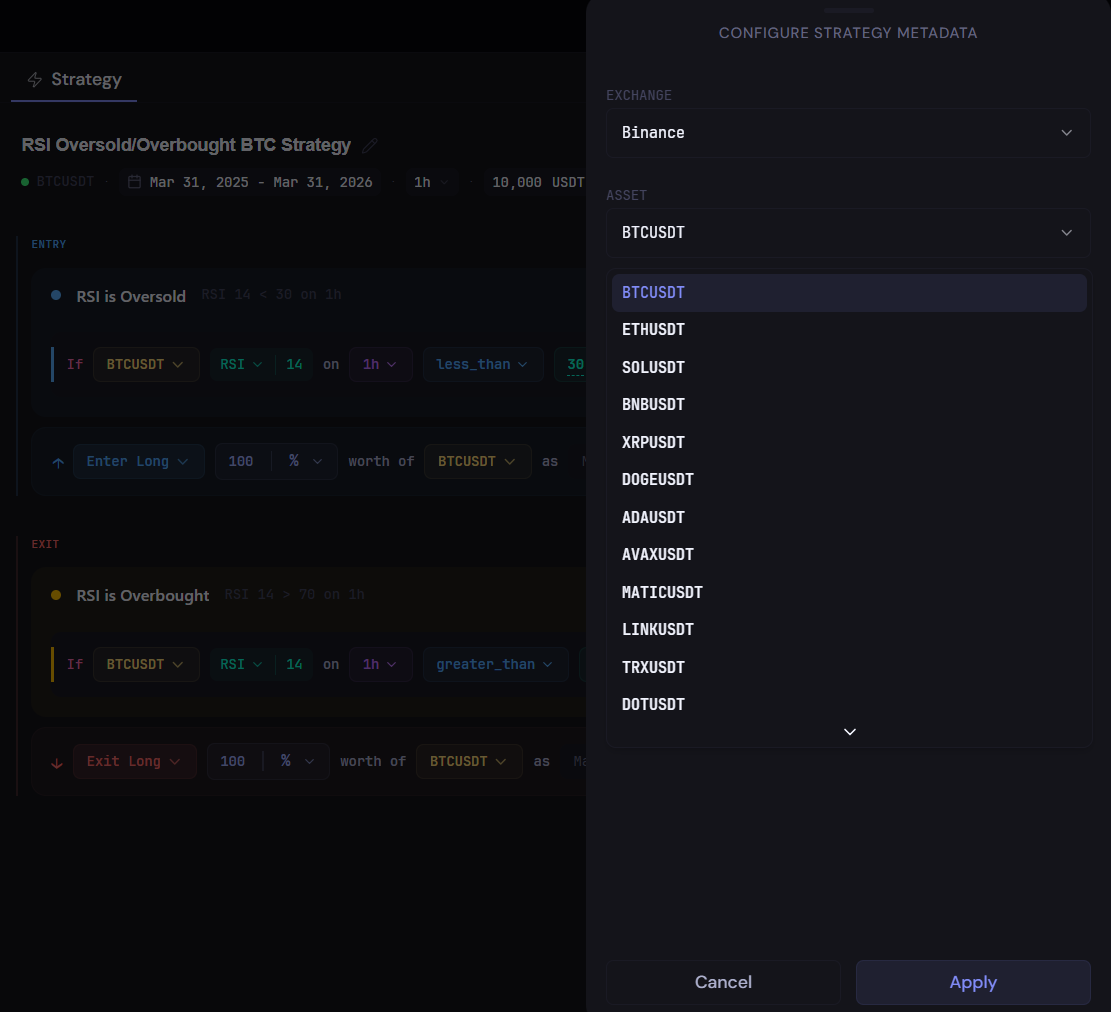
1. Instrument Pill (yellow)
You can:
- Select the trading pair (e.g.
BTCUSDT) - Browse available assets from the dropdown
- Switch between instruments supported on the selected exchange
Use it for:
- Choosing what market your strategy trades
- Example:
BTCUSDT,ETHUSDT, etc.
2. Indicator / Series Pill (green)
You can:
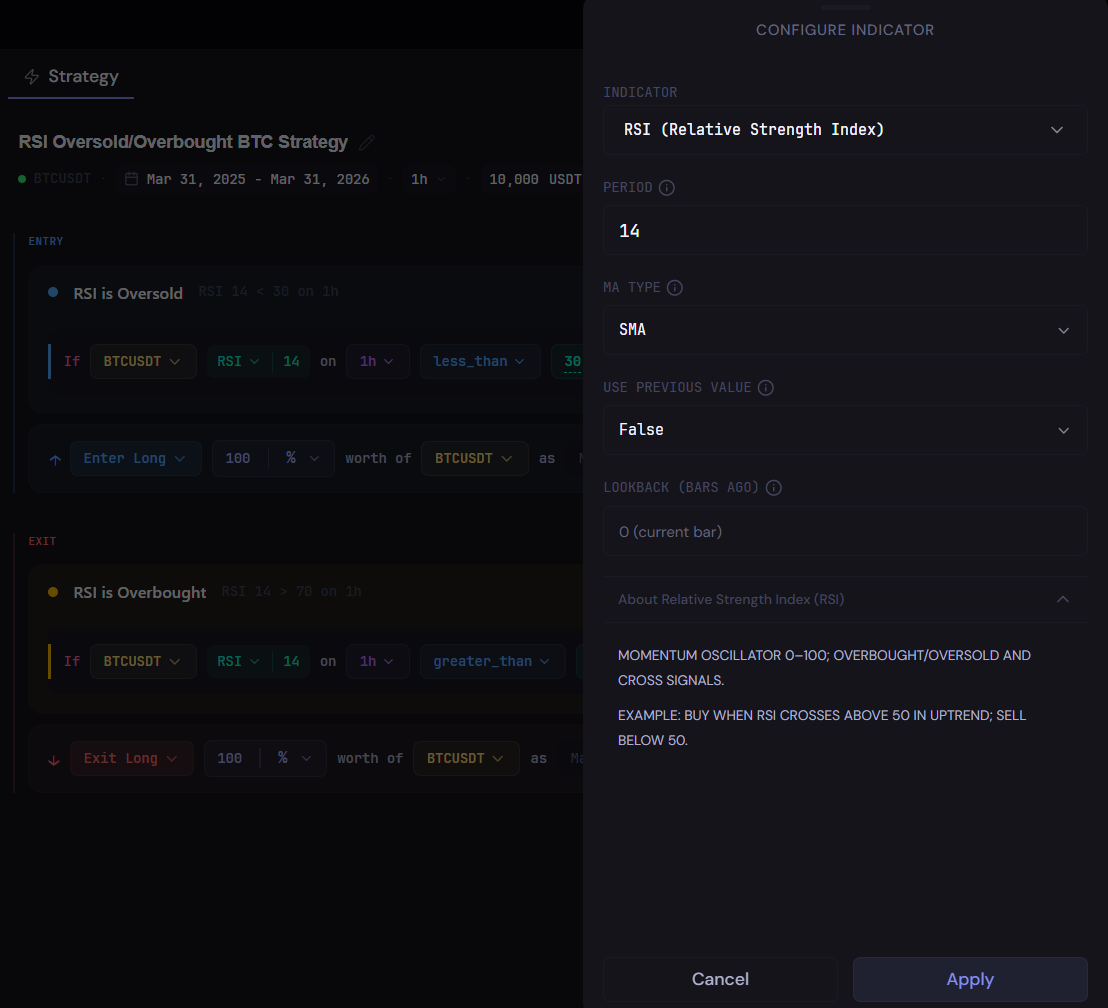
- Change the data source or indicator
- Price sources:
Close,Open,High,Low,Volume,Wick - Indicators:
RSI,SMA,EMA,DEMA,RMA,AMA, etc.
- Price sources:
- Adjust indicator settings
- Period (e.g.
RSI 14,SMA 50) - Additional parameters depending on the indicator
- Period (e.g.
- Clicking the dropdown opens the full list of price sources + indicators
- Click Apply to confirm changes
Use it for:
- Defining what data your condition is based on
- Examples:
RSI(14)SMA(50)Close
Y
3. Timeframe Pill (purple)
You can:
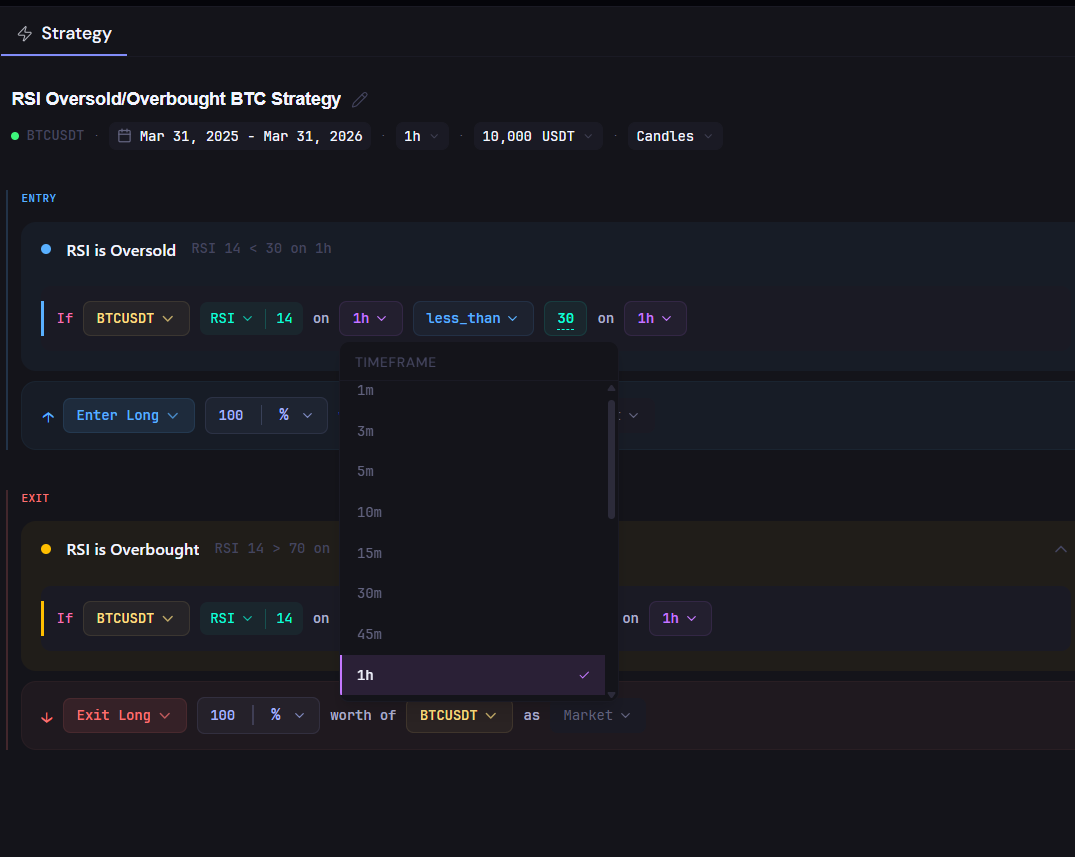
- Select the timeframe (e.g.
1m,5m,1h,1d) - Apply different timeframes per condition
Use it for:
- Controlling how often signals are evaluated
- Example:
RSI(14) on 1h
4. Operator Pill (blue)
You can:
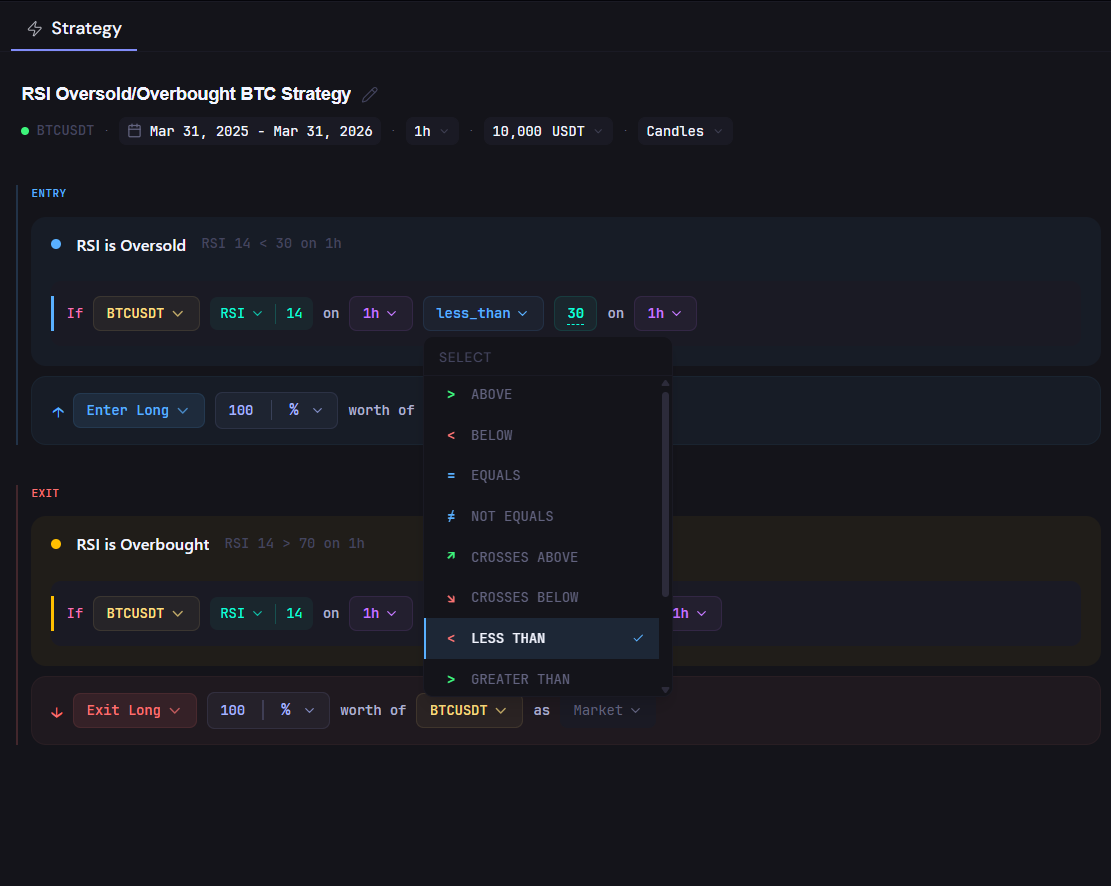
- Choose how values are compared
Less Than,Greater ThanAbove,BelowCrosses Above,Crosses BelowEquals,Not Equals
Use it for:
- Defining the condition logic
- Examples:
RSI < 30SMA crosses above SMA
5. Value Pill (green number)
You can:
- Enter a numeric value (e.g.
30,70,1.5) - Set thresholds directly
Use it for:
- Defining trigger levels
- Examples:
RSI < 30RSI > 70
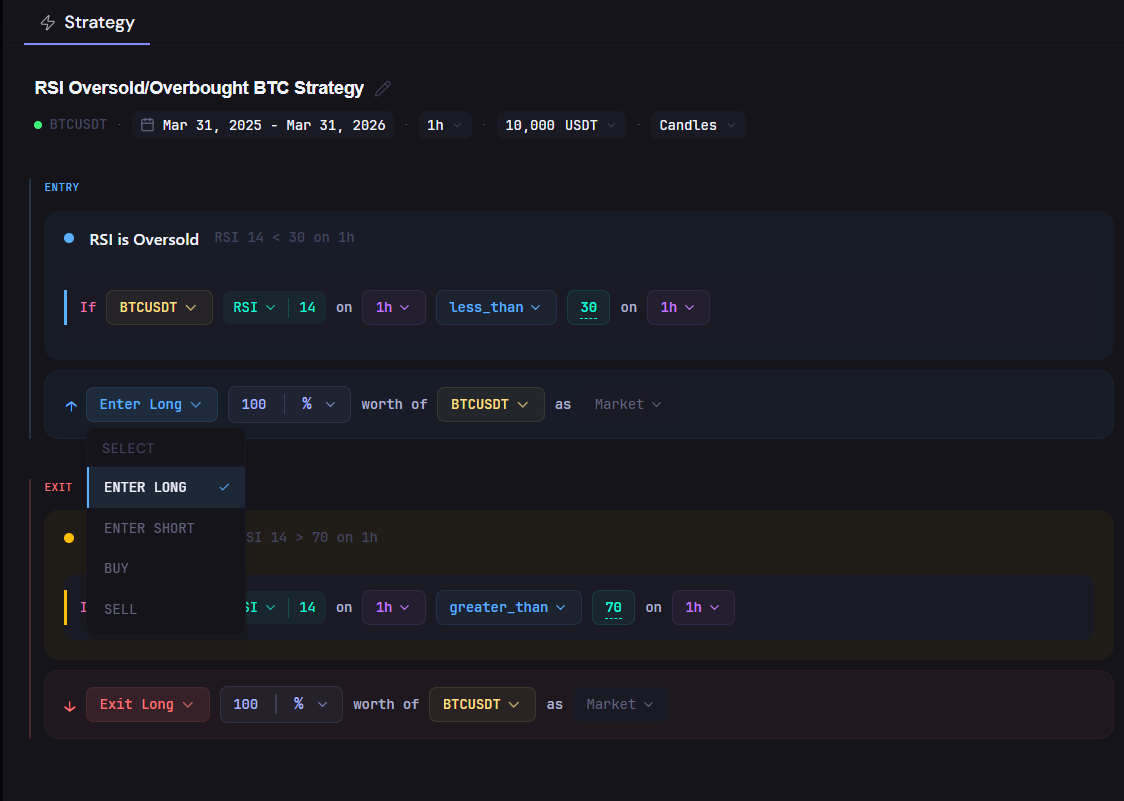
6. Action Pill (blue / red)
You can:
- Choose the action
Enter Long,Enter ShortExit Long,Exit ShortBuy,Sell
Use it for:
- Defining what happens when conditions are met
- Opening or closing positions
7. Position Size (%)
You can:
- Set how much capital to use per trade
- Percentage (
%) - Fixed amount (
USDT)
- Percentage (
Use it for:
- Risk control and capital allocation
- Example:
100% of capitalor fixed size
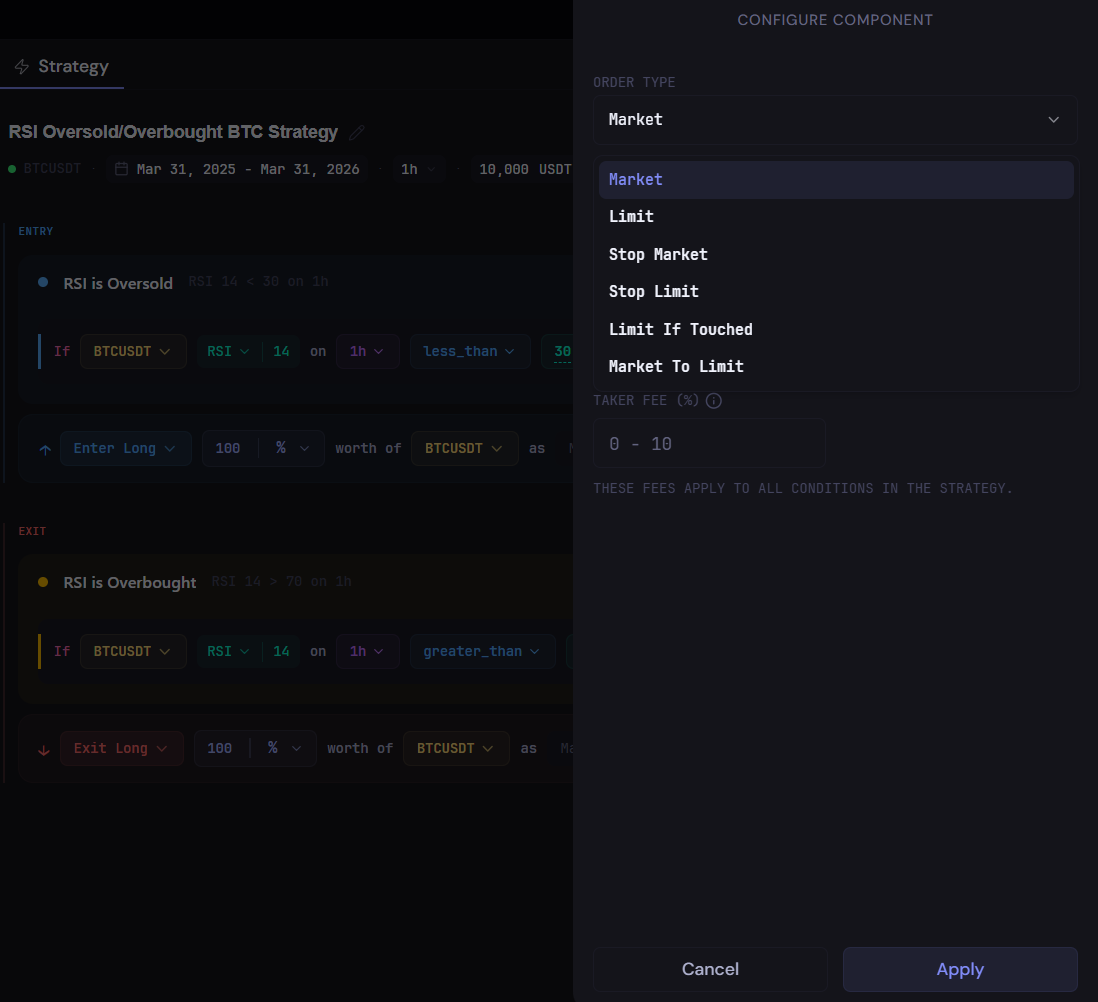
8. Order Type (Market / Limit)
You can:
- Select how orders are executed
MarketLimitStop MarketStop LimitLimit If TouchedMarket To Limit
Use it for:
- Controlling execution style and slippage behavior
How it all connects
You build rules like:
BTCUSDT(instrument)RSI(14)(indicator)on 1h(timeframe)less than(operator)30(value)→ Enter Long (100% as Market order)
💡 Each pill is modular, you can click and adjust any part of the rule without rebuilding the whole strategy.
