
Schema Editor
The Schema Editor shows your strategy as colored “pills” (blocks). Each pill is clickable and opens a Configuration popup. You edit your rules by clicking these pills.
Pill types
- Comparator (yellow): how two things are compared
Examples:Above,Below,Crosses Above,Crosses Below
- Value (red number): a fixed threshold you type
Example:30,0.6,200
- Series (blue): a price source or indicator that outputs a line/series
Examples:Close,Open,High/Low,Volume,SMA(50),EMA(12)
- Action (red label): what to do when the rule is true
Examples:Enter Long,Exit Long,Enter Short,Exit Short,Buy,Sell
- Logic/Transform (yellow): a function applied to a series
Example:pct_change(percent change)
- Joiners:
And(all conditions must be true).
(If your build supportsOr, it appears here too.)
What happens when you click each pill?
1. Series Pill (blue)
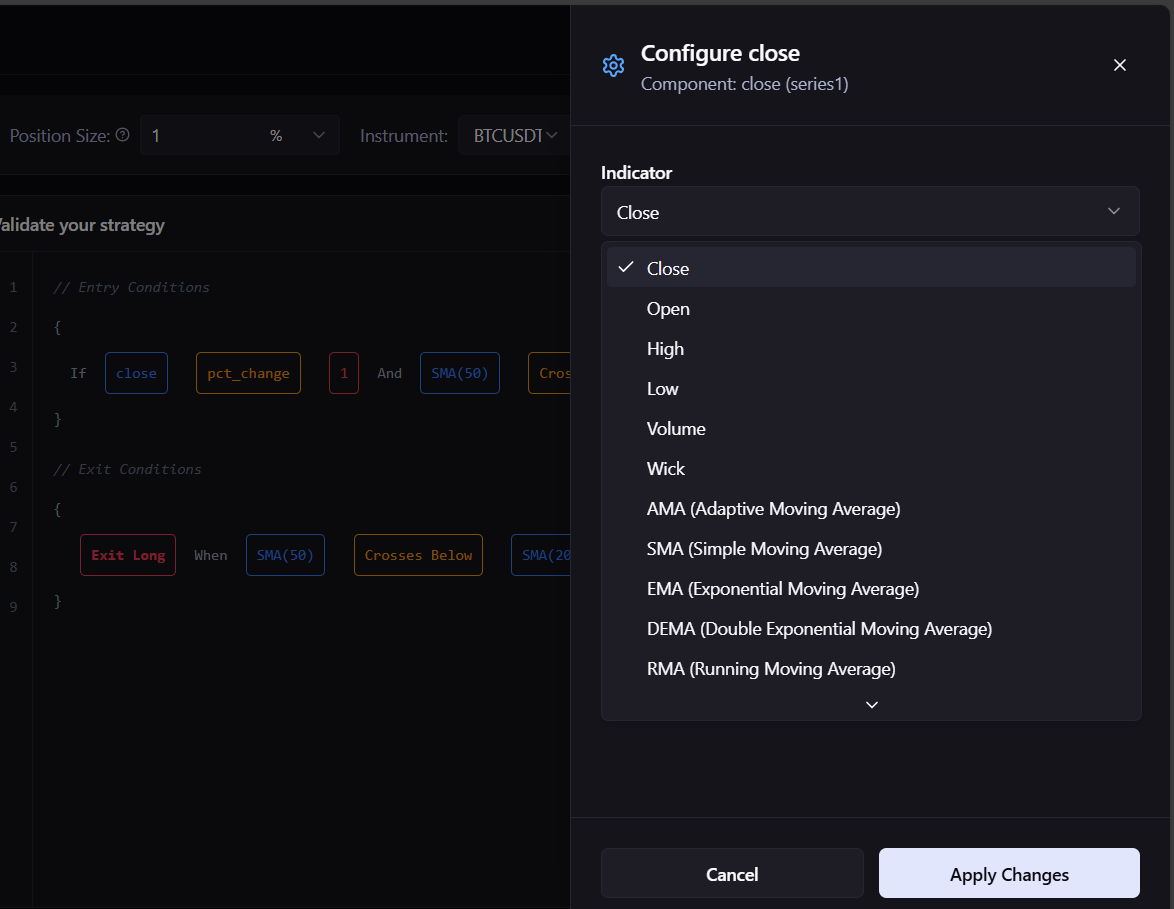
You can:
- Change the Indicator/Source
- Price sources:
Close,Open,High,Low,Volume,Wick - Indicators (examples):
SMA,EMA,DEMA,RMA,AMA…
- Price sources:
- Set Parameters (depends on indicator)
- For example, SMA/EMA: Period (e.g.,
50) and Price Type (CLOSE,OPEN,HIGH,LOW) - Others may have
length,multiplier,stdev, etc.
- For example, SMA/EMA: Period (e.g.,
- Apply Changes to update the pill (e.g.,
SMA(50)→SMA(200))
Use it for:
- Threshold rules (
RSI(14) is below 30) - Series vs series rules (
SMA(50) crosses above SMA(200))
2. Comparator pill (yellow)
.png)
You can:
- Pick the operator:
Above,Below,Crosses Above,Crosses Below(and any others available)
Use it for:
- Switching from a threshold check to a cross check, and vice-versa.
3. Value pill (red number)

You can:
- Type a number (your threshold), then Apply Changes
Use it for:
- Setting cutoffs like
RSI < 30,VHF > 0.5, or% change > 1
4. Logic/Transform pill (yellow)
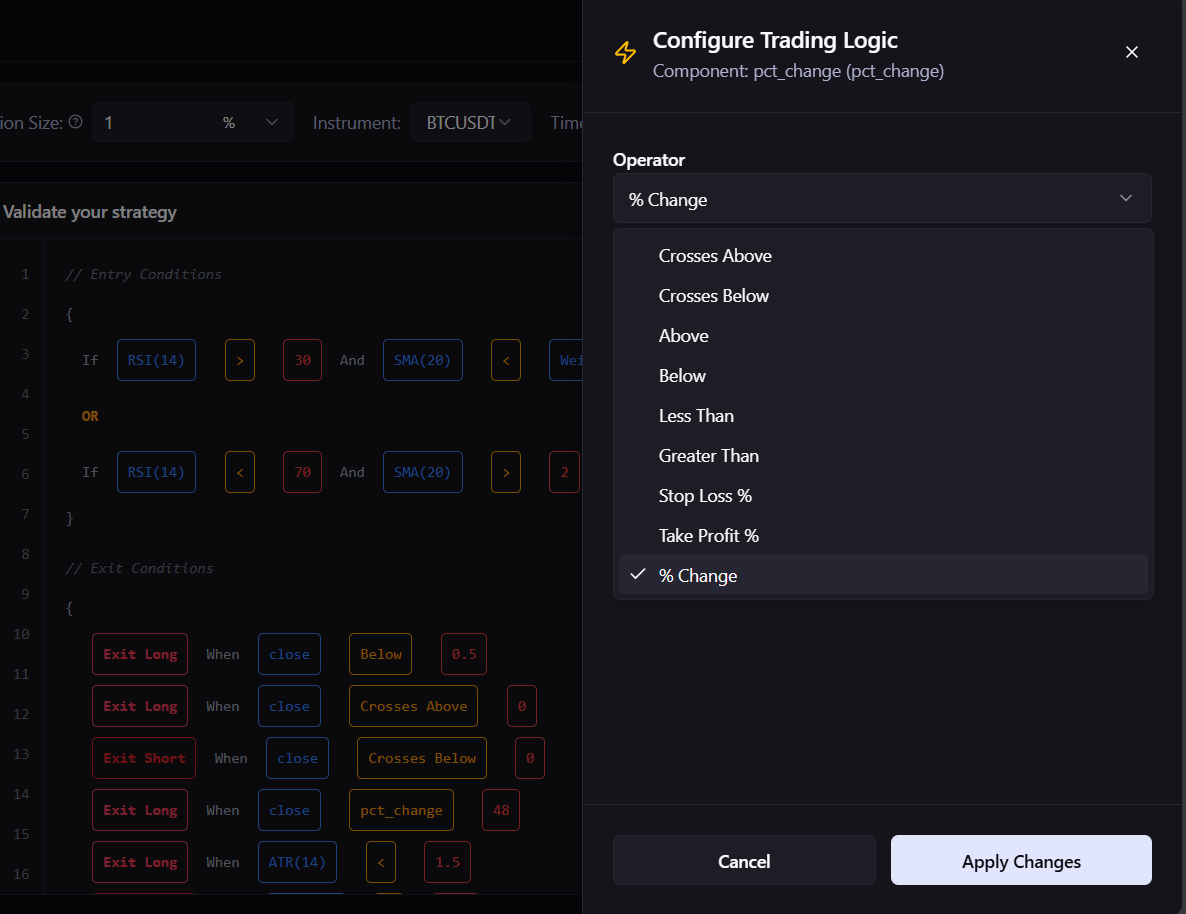
Choose the variant/option the transform exposes (e.g., operator for pct_change).
(Some transforms may also show a period/window in your build.)
Use it for:
- Building rules like
Close pct_change 1(percent change of close vs value)
5. Action pill (red label)
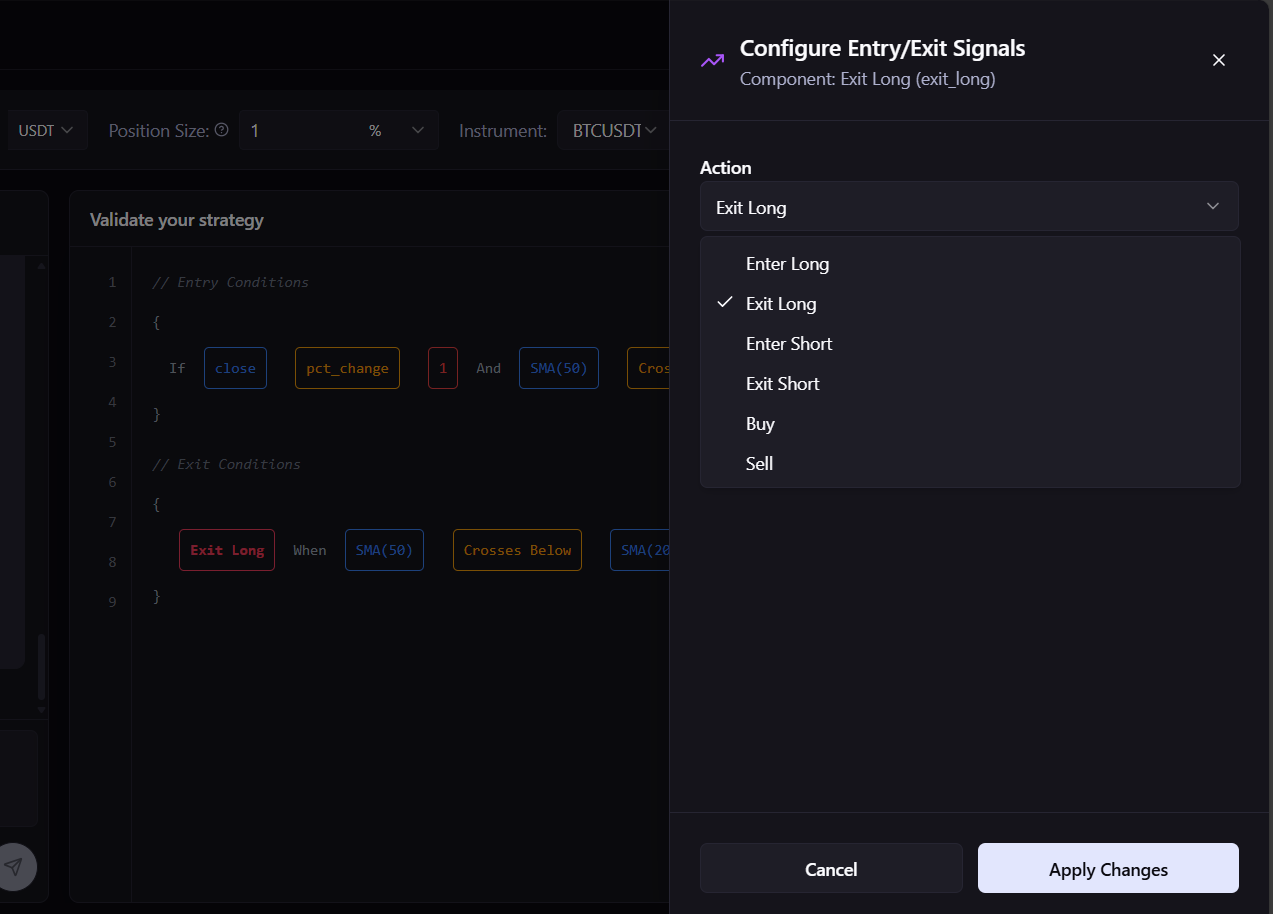
Choose the action: Enter Long, Exit Long, Enter Short, Exit Short, Buy, Sell
Use it for:
- Deciding whether a condition opens or closes a position (or uses buy/sell semantics)
Two core patterns:
A. Threshold rule
Idea: Compare an indicator to a number.
- Build:
Series (blue)+Comparator (yellow)+Value (red) - Example:
RSI(14)Below30→ Enter Long- Click
RSIto set length 14 → Click comparator toBelow→ Click value pill to30→ Action =Enter Long.
B. Crossover rule
Idea: Compare one series to another series.
- Build:
Series (blue)+Comparator (yellow)+Series (blue) - Example:
SMA(50)Crosses AboveSMA(200)→ Enter Long- Click each
SMAto set periods 50 and 200 → Click comparator toCrosses Above→ Action =Enter Long.
