
How Much Does Backtesting Software Actually Cost in 2026? (Full Pricing Breakdown)
.png)
If you have searched for backtesting software, you have probably noticed the same thing: pricing is scattered, hidden behind "contact us" buttons, or buried in plan comparison tables that do not tell you what you actually need to know. The backtesting software cost in 2026 ranges from free to thousands of dollars per year, and the difference between plans is not always obvious. This guide breaks down exactly what you pay on each major platform, what you get for that price, and where the hidden costs appear.
What Actually Drives Cost Differences in Backtesting Software
Before comparing price tags, it helps to understand what you are paying for. Not all backtesting platforms charge for the same things.
Data quality and source.
Some platforms use aggregated price feeds that are cleaned and normalized. Others use raw exchange data that includes gaps, anomalies, and missing candles. Institutional-grade data from providers like Kaiko costs significantly more to license than free public feeds. Platforms that provide high-quality data build that cost into subscriptions.
Real-time vs historical data.
Real-time data requires ongoing data feed agreements and infrastructure. Historical-only platforms have lower running costs and can often offer more generous free tiers.
Backtesting depth.
How far back can you test? One year of data, five years, or a decade? Longer history requires more storage. Platforms that give you 10 years of tick data on multiple exchanges charge more than those offering 6 months of daily candles.
Exchange and asset coverage.
Access to 10 major exchanges costs more than access to one. Multi-asset backtesting across hundreds of crypto pairs costs more than a single-asset setup.
Strategy complexity and execution.
Platforms that support multi-condition strategies, multi-indicator combinations, and custom logic tend to charge more than those supporting simple moving average crossovers.
Backtesting Software Cost 2026: Platform Pricing Comparison
What You Get for Free vs Paid: Platform by Platform
TradingView
TradingView's free tier gives you access to basic charting with Pine Script backtesting. You get three indicators on a chart, one active alert, and limited bar history. The backtesting is functional but constrained: you cannot run extended history, you are limited in the number of saved scripts, and the data resolution on free is restricted.
At $14.95 per month (Essential), you unlock more indicators, longer chart history, and more alert capacity. At $29.95 (Plus), you get additional server-side alerts and more saved chart layouts. The $59.95 Premium plan adds even more indicators and faster data refresh rates.
The key limitation across all plans: TradingView's backtesting requires Pine Script. If you cannot write code, you are limited to community-published scripts. Custom logic means learning a programming language.
QuantConnect
QuantConnect targets quantitative developers. The free community tier gives you access to the open-source LEAN algorithm framework with limited cloud compute. You can backtest algorithms, but the free allocation is restricted in how long backtests can run and how much data you can access.
Cloud plans start at around $8 per month for basic allocation and scale to $120 per month for professional use. The catch: QuantConnect charges separately for premium data. Live trading requires additional fees. The total cost for a serious user can reach $200 to $400 per month when you factor in data and compute costs.
QuantConnect is powerful but built for engineers. If you are not comfortable writing in Python or C#, this platform is not accessible at any price tier.
TradeStation
TradeStation offers a $0 commission structure for equities and futures with certain account types, but this applies to execution, not data or platform access. Their backtesting tools are included with funded accounts, but data fees apply for certain feeds. Their EasyLanguage scripting is required for custom backtesting. Historical crypto data availability is more limited compared to dedicated crypto platforms.
Backtestmarket.com
Backtestmarket.com focuses on crypto strategy backtesting with a subscription model. Pricing is not prominently displayed without registration. The platform offers pre-built strategy templates and a no-code interface for basic setups. For serious comparison, check their current pricing directly on their site.
CoinQuant
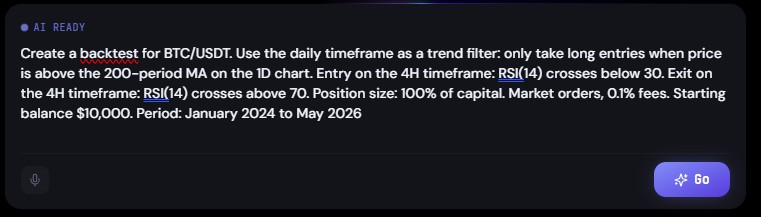
CoinQuant offers a free plan that includes no-code strategy building, AI-powered strategy generation from natural language descriptions, and backtesting on institutional-grade Kaiko data. No code is required. No Pine Script. No Python.
For exact current pricing on paid plans, visit app.coinquant.ai. The platform is designed to make professional-grade backtesting accessible without the complexity or cost of developer-focused tools.
Hidden Costs to Watch For
The advertised price is rarely the full price. Here are the costs that catch traders by surprise:
Data fees. Several platforms separate the platform subscription from data subscriptions. You pay for the software, then separately for the data feed that makes it useful. This is common on TradeStation, Interactive Brokers, and some QuantConnect plans.
API access costs. If you want to pull strategy results into other tools or run automated testing pipelines, API access is often gated behind higher-tier plans.
Compute or credit systems. QuantConnect bills cloud computing separately from plan access. A complex backtest on five years of tick data can burn through your monthly compute allocation in a single run.
Live trading fees. Many platforms separate backtesting from live trading. A plan that covers backtesting may require an upgrade or a separate subscription to deploy a strategy live.
Per-exchange fees. Some platforms charge additional fees for access to specific exchange data. Backtesting BTC/USDT on Binance might be included in your plan, but accessing Kraken, Bybit, or OKX data costs more.
Overage charges. If your usage exceeds the plan limits (number of backtests run, bars processed, API calls made), overage fees apply. These can be significant if you run intensive testing sessions.
How CoinQuant Compares on Backtesting Software Cost
CoinQuant's model is built around accessibility. The free tier gives you the full no-code strategy builder, AI strategy generation from plain-English descriptions, and backtesting on Kaiko institutional data. There is no coding requirement, which eliminates the hidden cost of time spent learning Pine Script or Python.
For traders who want professional backtesting without the $120 to $400 per month developer-focused platforms charge, CoinQuant offers a direct alternative. The data quality (Kaiko) matches or exceeds what most paid tiers on competing platforms provide.
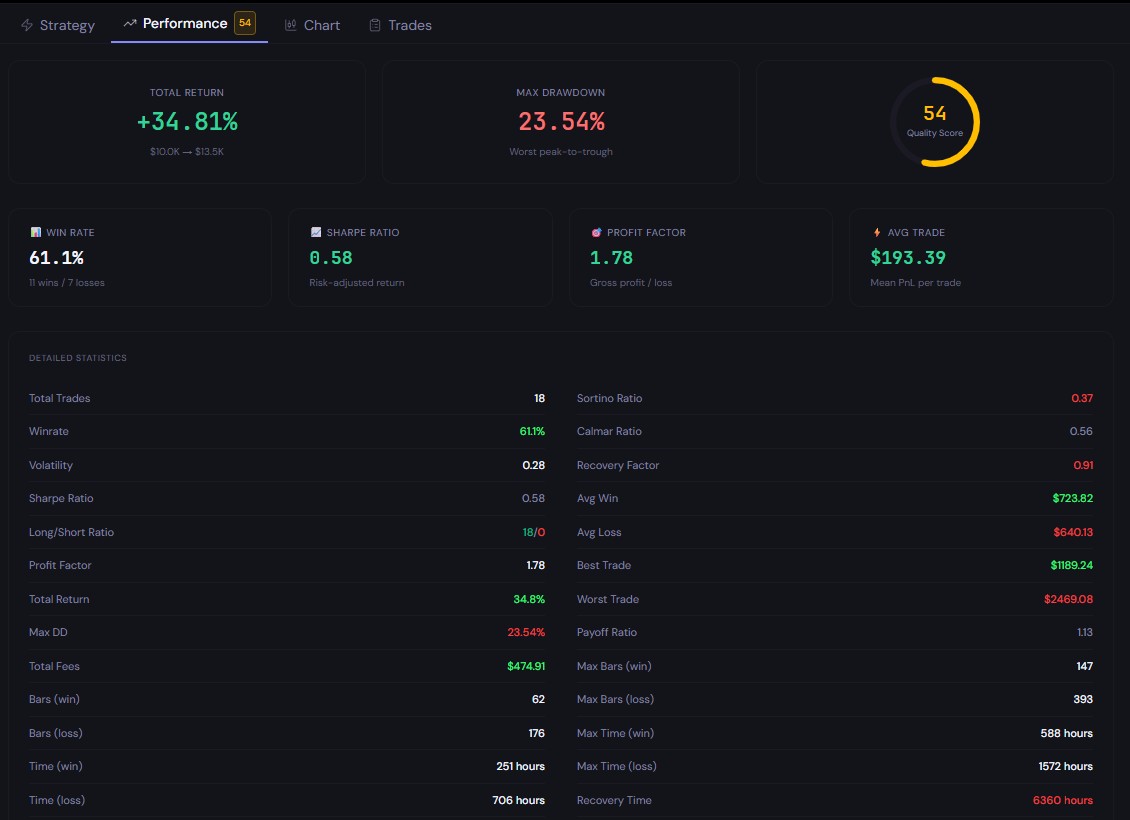
For current plan details and what each tier includes, visit app.coinquant.ai.
Get Professional Backtesting Free on CoinQuant
Professional backtesting does not have to cost hundreds of dollars per month. CoinQuant gives you institutional-grade data, an AI-powered strategy builder, and no-code backtesting at no cost to start.
Disclaimer:
This content is for educational and informational purposes only and does not constitute financial, investment, or trading advice. All strategies and examples are for illustrative purposes and do not guarantee results. Always conduct your own research before making financial decisions.
Key Takeaway
